


Defeat the Office Know-It-All in This Physics Puzzle Game
Overview
Office Jerk is a free casual game designed for users seeking lighthearted entertainment with a workplace twist. The game centers around a humorous physics-based challenge where players aim and launch various office supplies at a persistent office pest known as the "know-it-all." Its primary purpose is to provide a short-term, stress-relieving experience by transforming everyday office frustrations into playful gameplay. Target users include casual gamers, office workers looking for quick diversions, and fans of arcade-style puzzle games with simple mechanics.
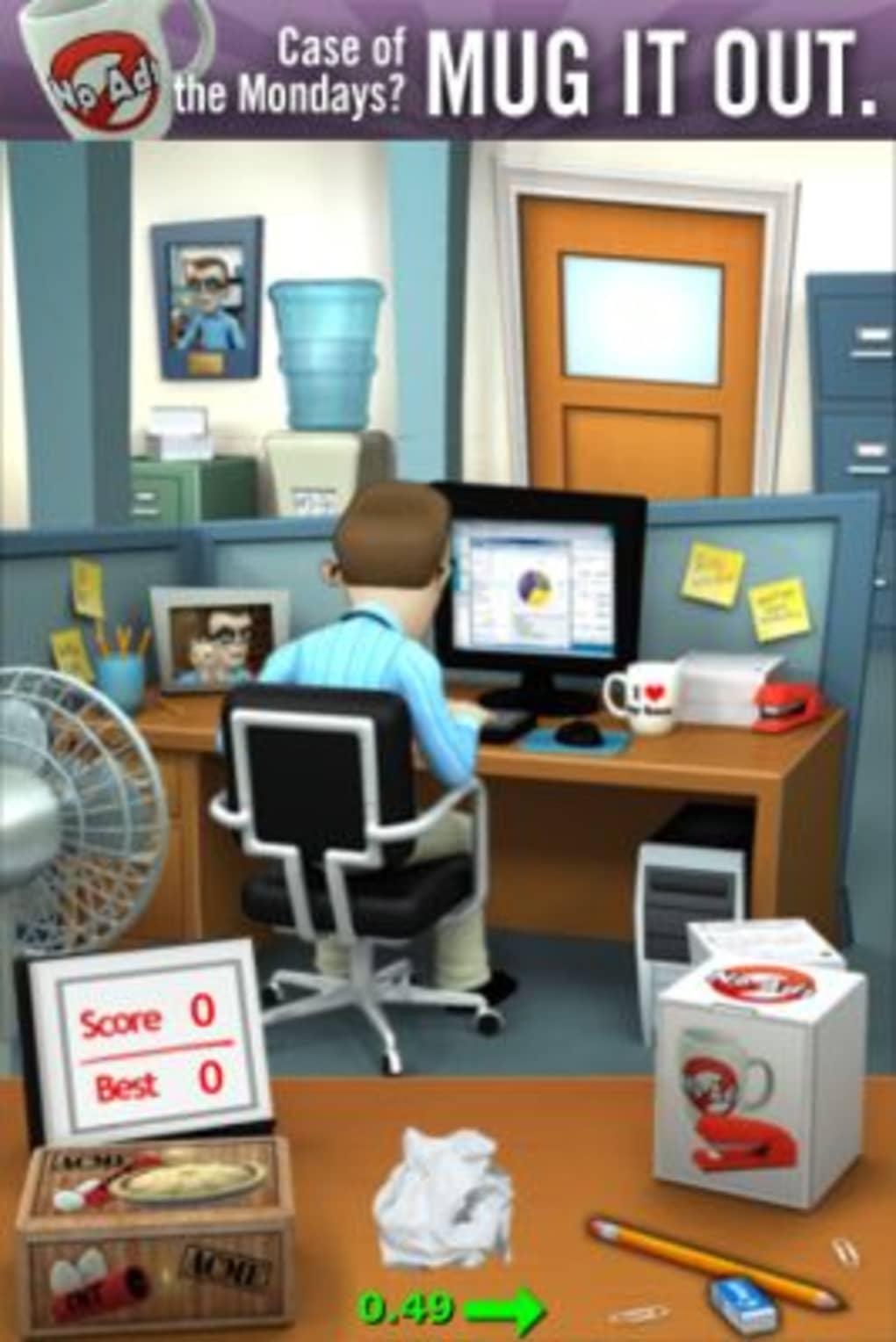
The game’s premise is straightforward: use items like paper, pencils, erasers, and even pies to hit the target character, adjusting for environmental factors such as air currents from a fan. This mechanic mirrors similar games like Paper Toss, offering a familiar yet distinct experience. While the core gameplay loop is consistent, the game’s charm lies in its satirical take on office dynamics. Real-world usage scenarios include taking a quick break during work hours, playing between meetings, or sharing a laugh with colleagues during downtime.
The developer, Puzzles & Games, has not provided additional background details beyond the name. Platform availability is confirmed for both Windows and Mac, making it accessible to a broad desktop user base. Despite its repetitive nature, the game serves as a brief escape from routine tasks, appealing to those who enjoy quick, low-commitment gaming sessions.
Key Features & Capabilities
- Physics-Based Targeting System – Players must calculate trajectories based on wind direction from a fan, requiring precise aiming and timing to hit the target.
- Diverse Launchable Objects – A variety of items such as paper, pencils, erasers, and pies can be used, each with unique flight behavior and impact effects.
- Progressive Unlockable Items – Additional objects are available through in-app purchases, allowing for customization and extended gameplay variety.
- GameCenter Integration – Leaderboards and achievements are supported, enabling competitive play and tracking of performance across sessions.
- Repetitive Gameplay Loop – The game focuses on a single scenario with consistent mechanics, which may limit long-term replayability.
Each feature is designed to enhance engagement through simple, intuitive interactions. For example, the physics engine simulates real-world forces like airflow, requiring players to adapt their aim dynamically. The inclusion of humorous objects like pies adds a layer of fun and unpredictability.
The in-app purchase system allows users to expand their arsenal, though this is not required to enjoy the core experience. GameCenter integration introduces a social layer, encouraging players to improve their scores and compete with others. However, the lack of varied levels or changing environments may reduce sustained interest.
The game’s focus remains on consistent mechanics rather than evolving challenges, which defines its niche as a short-form entertainment tool.
User Interface, Workflow & Performance
The user interface is clean and minimal, designed to keep focus on the gameplay area. Navigation is straightforward, with a central aiming mechanism and a toolbar displaying available objects. Players select an item, adjust the angle and power using on-screen controls, and release to launch. The workflow is efficient, requiring minimal input to initiate each round. The game’s performance is optimized for casual use, with no reported lag or stuttering during gameplay.
Resource usage details were not specified by the developer. However, based on the game’s file size of 25.3 MB and its casual nature, it is expected to run smoothly on most modern desktop systems. Stability appears consistent, with no indication of crashes or freezes during typical play sessions.
The game does not require constant internet access, though GameCenter integration may need connectivity for leaderboards. CPU and RAM behavior are not documented, but the lightweight design suggests low system impact. Overall, the interface supports quick learning and immediate play, making it ideal for brief entertainment bursts.
Compatibility & System Requirements
Office Jerk is compatible with both Windows and Mac operating systems, supporting a wide range of desktop environments. The software version is 1.0, indicating a stable initial release. The installation size is 25.3 MB, which is compact and suitable for users with limited disk space. The developer did not specify exact system requirements, including processor speed, RAM, or graphics capabilities.
Compatibility information is limited to the operating systems listed. Users should ensure their system meets general standards for running casual desktop applications. No hardware-specific dependencies were mentioned.
For optimal performance, it is recommended to run the game on systems with at least 2 GB of RAM and a modern processor. The absence of detailed specifications means users may need to test the software on their device to confirm smooth operation. The game does not require additional software or drivers, simplifying the installation process.
Pros and Cons
Pros
- Lightweight and fast to install (25.3 MB)
- Free to download and play with no ads
- Simple, intuitive controls ideal for quick sessions
- Humorous theme that resonates with office workers
- GameCenter integration for leaderboards and achievements
Cons
- Repetitive gameplay with no level variety
- Limited replayability beyond initial novelty
- No detailed system requirements provided
- In-app purchases required to access all items
- Single scenario may feel monotonous over time
FAQ Section
Is Office Jerk available for both Windows and Mac?
Yes, Office Jerk is compatible with both Windows and Mac operating systems.
Is the game completely free to play?
Yes, the game is free to download and play. However, in-app purchases are available to unlock additional items.
Does Office Jerk require an internet connection?
Basic gameplay does not require an internet connection. However, GameCenter leaderboards and achievements need an active connection.
Can I play Office Jerk offline?
Yes, you can play the core game offline. Online features like leaderboards are disabled without connectivity.
What type of license does Office Jerk use?
Office Jerk is distributed under a free-to-play license with in-app purchases. No subscription or activation key is required.
Final Thoughts + CTA
Office Jerk delivers a fun, lighthearted escape for office workers and casual gamers alike. While its repetitive nature and lack of level variety may limit long-term appeal, the game excels as a quick, humorous distraction. The physics-based aiming mechanic is engaging, and the variety of launchable objects adds replay value during initial play. The integration of GameCenter leaderboards provides a touch of competition, encouraging brief return sessions.
For users seeking a short burst of entertainment with a workplace twist, Office Jerk is a solid choice. It’s particularly suited for those who enjoy arcade-style puzzle games with simple mechanics and a satirical edge. Despite its limitations, the game’s charm and accessibility make it a worthwhile download for casual use.
Download Office Jerk now and turn your office frustrations into fun.







